6.12 Exporting and Importing Tests
Export test groups and individual tests and import tests. Export tests and test groups as XML files.
6.12.1 Exporting Test Groups
To export single or multiple test groups, do one of the following:
Exporting a Test Group
To export a specific test group:
-
In the Explorer pane, expand the root element > Experience Manager Adapter > > > .
-
Right-click an individual test group element, then click > to open the Group Export dialog box.
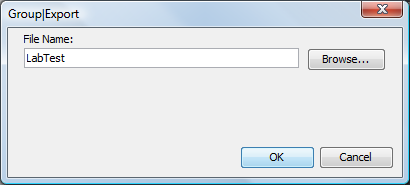
-
In the text box, type an export file name.
Click the button to select an existing XML file.
-
Click the button to export the test group to the specified file.
Exporting Multiple Test Groups
To export multiple test groups at a time:
-
In the pane, expand the root element > > > .
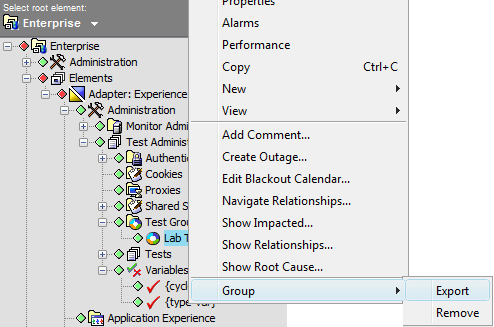
-
Right-click the element, then click > to open the Group Export dialog box:
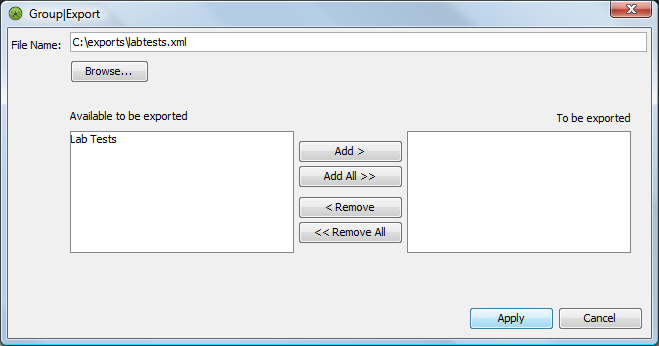
-
In the text box, type an export file name.
Use the button toselect an existing XML export file.
-
In the list, select the groups to export, then click the button.
The selected groups move to the list.
-
Click the button to export the groups to the specified file.
6.12.2 Exporting Tests
To export single or multiple tests, do one of the following:
Exporting a Test
To export a single test:
-
In the Explorer pane, expand the root element > Experience Manager Adapter > > > .
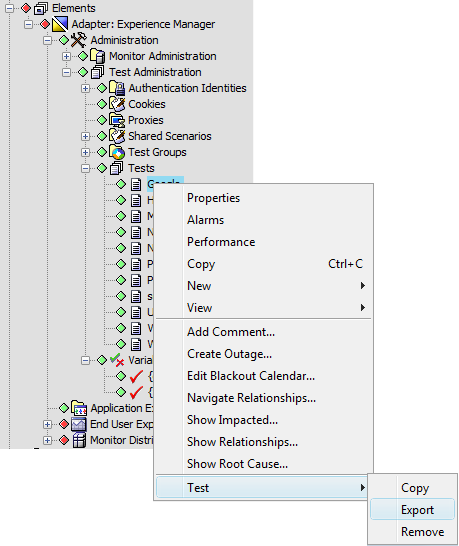
-
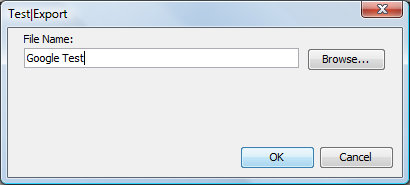
Right-click a test, then click > to display the Test Export dialog box:
-
In the text box, type an export file name.
Use the button to select an existing XML export file.
-
Click the button to export the test to the specified file.
Exporting Multiple Tests
To export multiple tests:
-
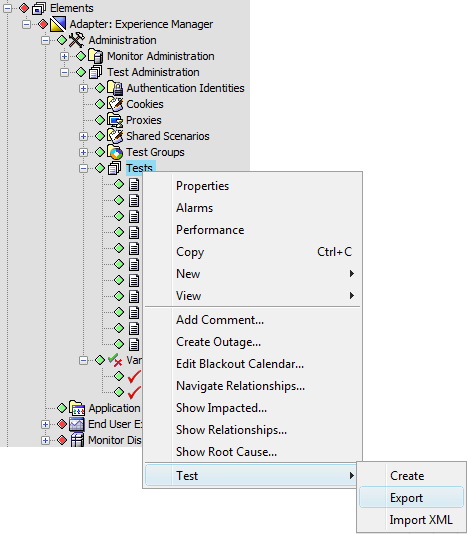
In the Explorer pane, expand the root element > Experience Manager Adapter > > .
-
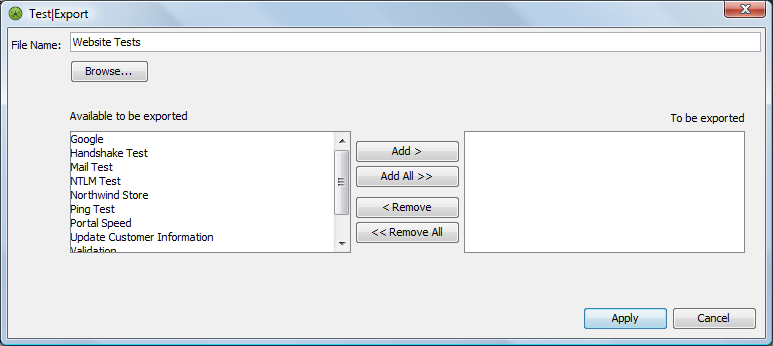
Right-click the element, then click > to display the Test Export dialog box:
-
In the text box, type an export file name.
Use the button to select an existing XML export file.
-
In the exported list, select the tests to export, then click the button.
The selected tests move to the To be exported list.
-
Click the button to export the selected tests to the specified file.
6.12.3 Importing Tests
To import a test configuration XML file:
-
In the Explorer pane, expand the root element > > > .
-
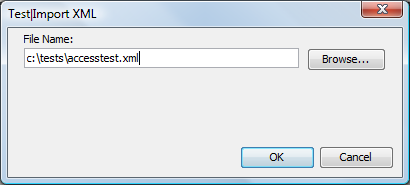
Right-click the Tests element, then click > to display the Test Import dialog box:
-
Use the button to locate the XML file, then click the button.
The imported tests display under the element.