6.2 Create New Schedule
NOTE:Before creating a schedule, ensure to configure the Notifier Configuration.
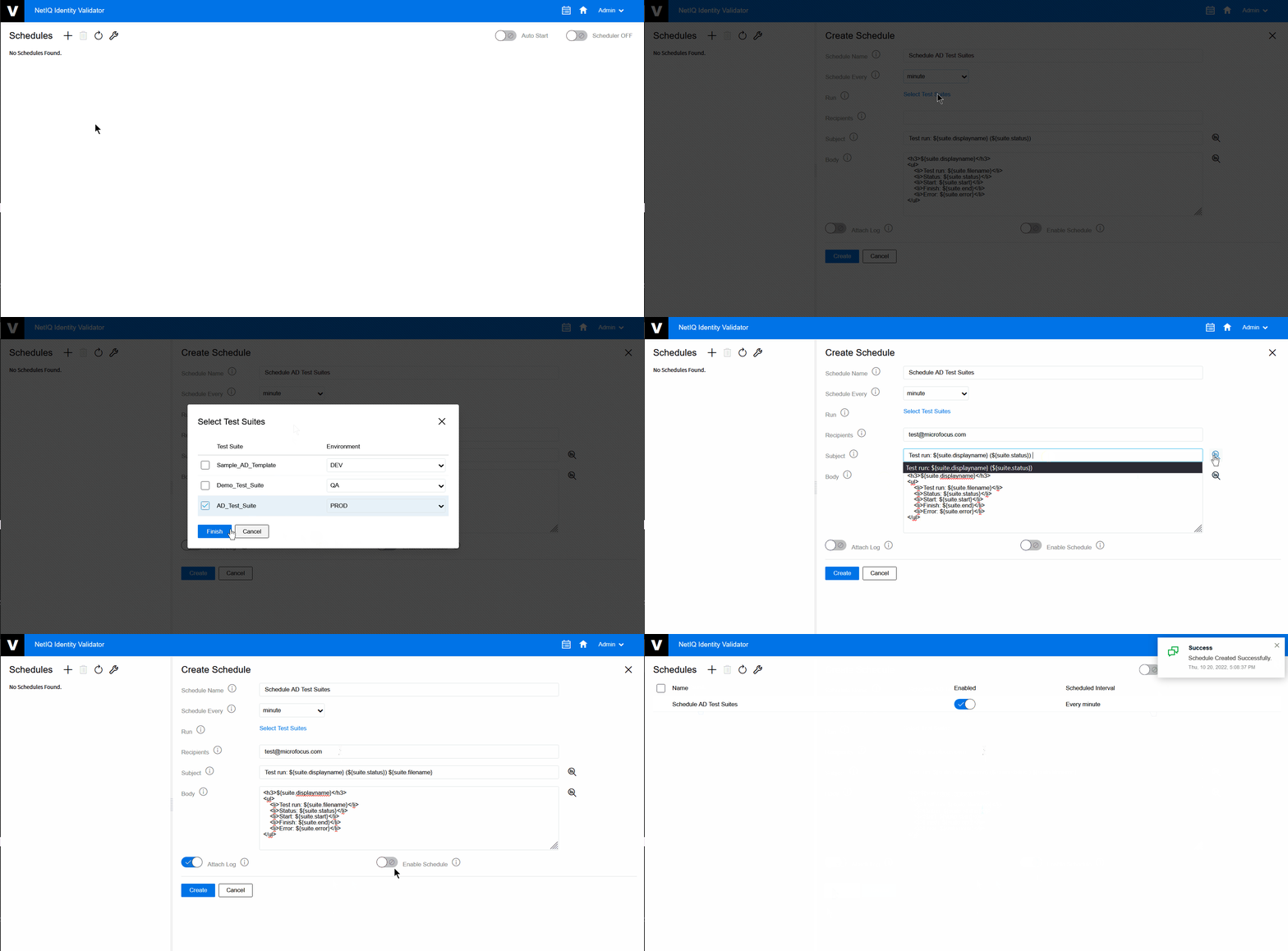
The following procedure explains how to create a schedule:
-
On the Home page, click the Scheduler
 .
. -
On the Schedules page click Add
 to create a new schedule.
 -
Click and select the Test Suites and Environment that you want to schedule.
-
Fill in all the other details as per your requirements.
NOTE:Recipient, Subject, and Body field will use default details from Notifier Configuration if not configured in the schedule.
-
(Optional) Click toggle to get the log of Test Suites that runs through email.
-
(Optional) Click toggle to enable the schedule that is created.
-
Click .
Figure 6-2 Create New Schedule