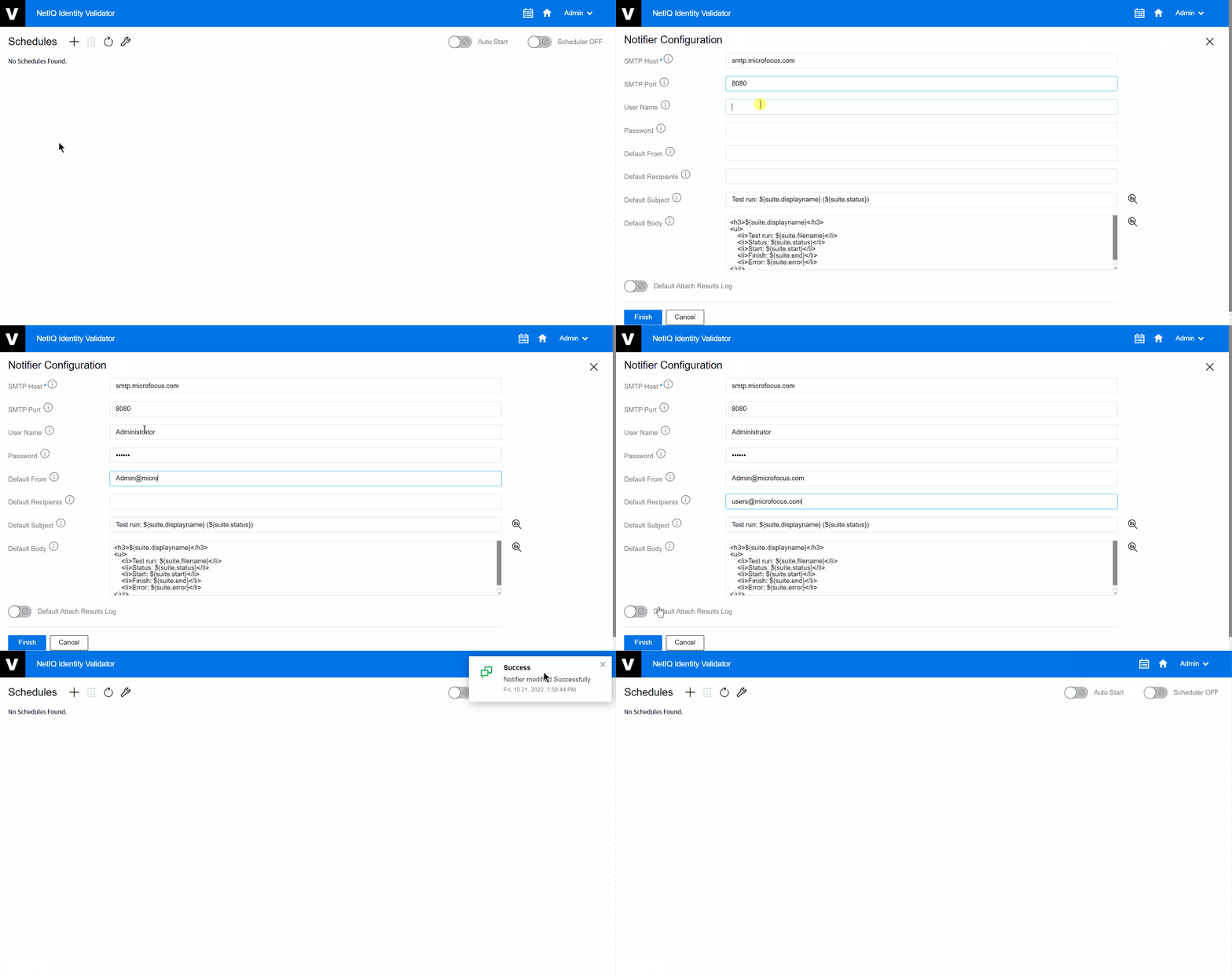
6.1 Notifier Configuration
Notifier Configuration is required for Simple Mail Transfer Protocol (SMTP) server’s mailing service.
The following the steps explain how to configure Notifier Configuration:
-
On the Home page, click the Scheduler
 .
. -
On the Schedules page, click Settings
 .
. -
Fill the SMTP host field which is a mandatory.
-
Fill in all the other fields as per your requirements.
NOTE:You can use HTML to create template for Subject and Body fields. Click
 to use active tokens, which will be replaced by their respective values.
 -
Click .
Figure 6-1 Notifier Configuration