1.1 Understanding Staging
Software products must be tested before they are deployed in an IT environment. Typically, after all customizations are completed in the Development stage, the software products are tested, and then moved to the production stage.
To avoid risk to your production environment, it is recommended that you deploy your OpenText Identity Manager projects in separate stages, including the development environment (includes all customizations), the test environment (primarily for testing), and the production environment. This process of developing and testing is called staging. To be able to get the right feel of how the product behaves in the actual production environment, ensure that there is uniformity across all stages.
This guide provides step-by-step procedures for staging your Identity Management projects, enabling you to more easily move each project from the initial stage to all subsequent stages. The guide helps with reducing complexity in the product deployment process by helping you to test your OpenText Identity Manager project at multiple stages before the project is live.
Figure 1-1 Staging OpenText Identity Manager Projects
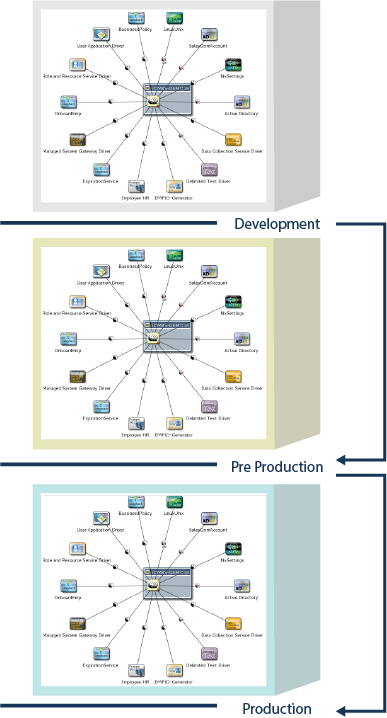
Figure 1-1 shows a basic representation of the movement of OpenText Identity Manager projects across different stages. The scale of the projects grows with stages, but the scale of an individual driver does not necessarily grow in the same way.