1.3 Checking for Updates
Following the initial startup, PlateSpin Recon verifies whether an update is available. Version update status is displayed in the Update Availability dialog box. To avoid checking for updates every time PlateSpin Recon opens, select the option.
NOTE:To manually check for version updates, click the menu in the PlateSpin Recon Client, then click .
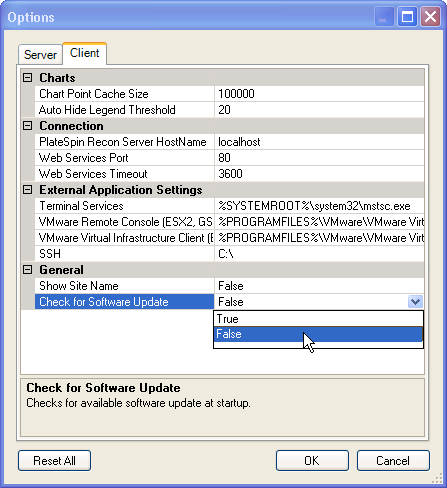
To reset the software update check:
-
On the PlateSpin Recon Client menu, click .
The Options dialog box is displayed.
-
Click the tab.
-
Under the node, set the value to .
-
Click .