5.0 Exploring Element Hierarchies
The view provides a dynamic graphical interface that enables moving across the entire enterprise, managing applications, servers, and network components.
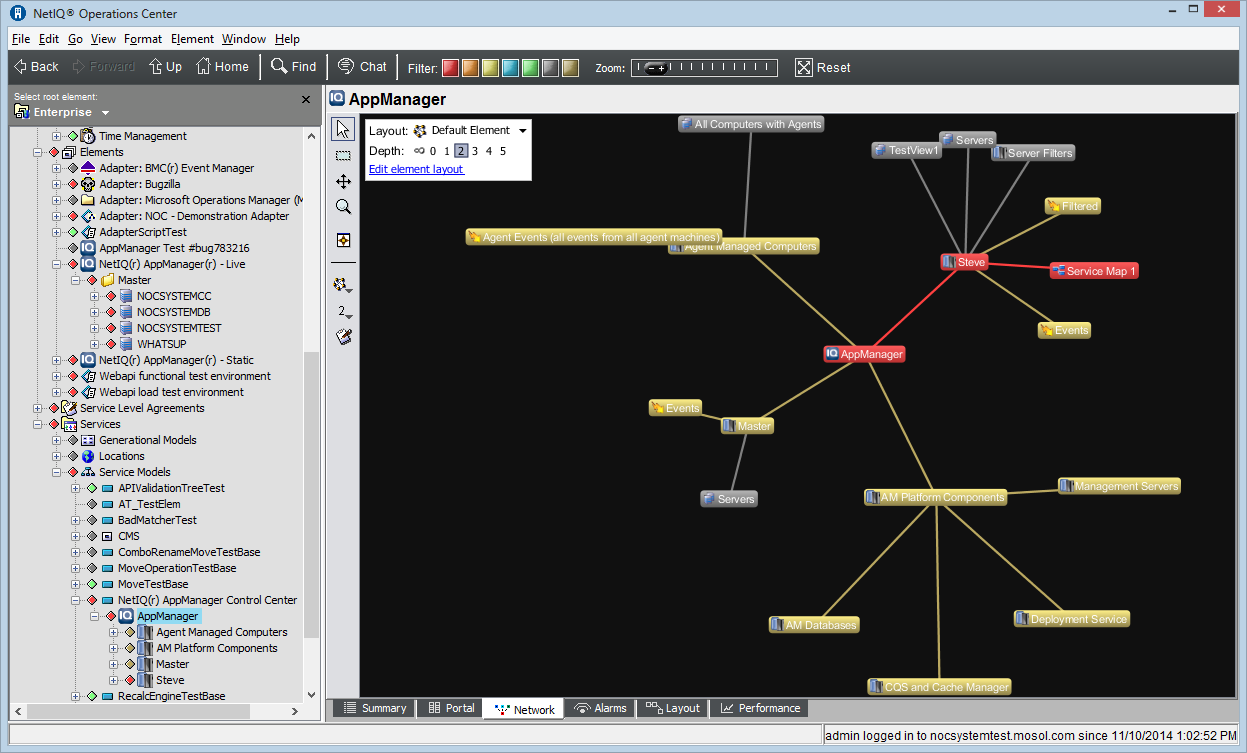
The view displays relationships among system components within a large infrastructure. The view displays the selected element at the center, with spokes connecting to first-level child elements. Additional lines connect the first level elements to their children. The line colors identify the conditions of the child elements.
The view might not be available to users who are not in the administrators group if it was disabled. For more information, see Disabling the Network and Layout Views
in the Operations Center 5.5 Server Configuration Guide.
The element selected in the pane determines which elements display in the view and whether the entire network displays or only a portion of it. The elements displayed in the view also depend on user access privileges.
There are various ways to move around the view. Use menu options and toolbar buttons to view different levels of detail.
Initially, the element selected in the pane displays in the center of the view:
Figure 5-1 Network View