4.3 Managing Clipart Files
Clipart is stored under the > . Any SVG graphical files can be imported into the clip art library. You can also create folders to organize your clip art. Files can be deleted or renamed using right-click menu options.
To add a clipart folder:
-
In the pane, under > ,
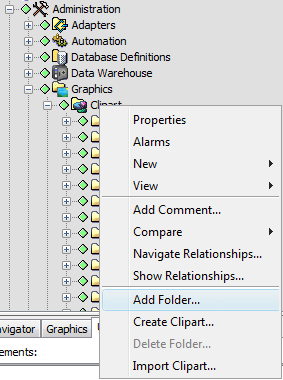
-
To create a new folder, right-click (or any folder beneath it), then select .
-
To import a graphic to the clip art library, do the following:
-
Right-click the folder (or any folder beneath it), then select to open the Import Clipart dialog box.
-
Navigate to and select the SVG graphic file, then click . When prompted, specify a name for the new clipart image.
-