7.2 Selecting Proxy Server Settings for the Recorder
In the Web browser, set the proxy server settings for the HTTP Recorder.
To set up the HTTP Recorder using Internet Explorer:
-
From the Internet Explorer menu, click to open the Internet Options dialog box.
-
Click the tab to display it.
-
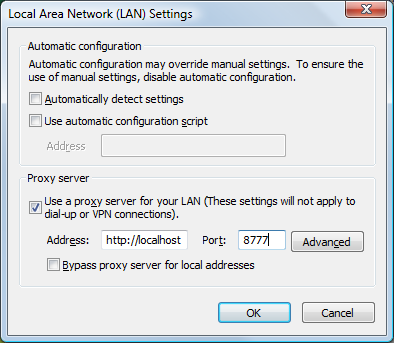
Click the button to open the LAN Settings dialog box.
-
In the section, select the check box.
-
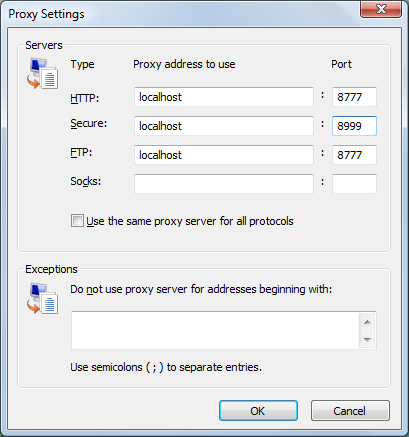
Click the button to open the Proxy Settings dialog box:
-
Specify the HTTP and Secure Server addresses and ports.
The default port for the HTTP server is 8777 and for the Secure Server is 8999.
-
Click the button.