5.7 Deleting Scenarios
To delete test scenarios:
-
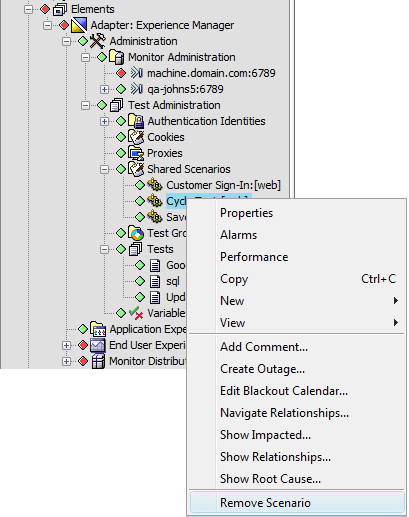
In the Explorer pane, expand the root element > > > > .
-
Right-click a scenario, then click to open a confirmation dialog box.
-
Click the button in the confirmation dialog box.
If the scenario is shared by two or more tests, a message displays the test names that use the scenario. It is necessary to remove the scenario from these tests, then use the Remove Scenario command.