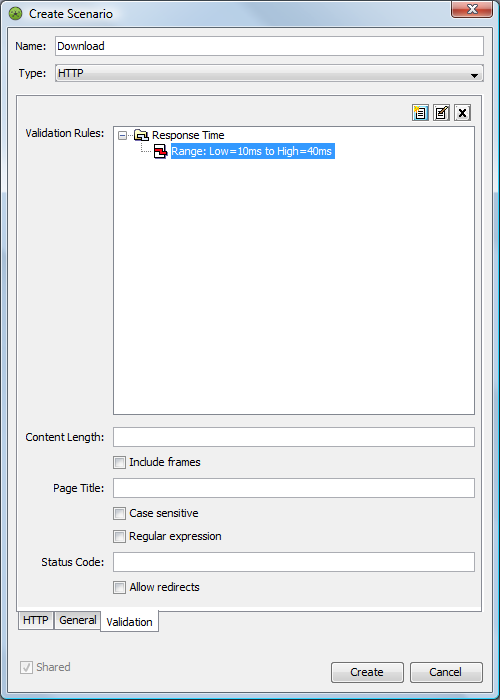
5.4 Specifying a Response Time
An alarm can occur based on the response time in a scenario. Specify the acceptable time range for a response in the tab in the Create Scenario dialog box.
To set rules for response time validation:
-
Click the tab in the Create Scenario dialog box to display the tab.
-
Click the
 icon to open the Create Rule dialog box.
-
Click the drop-down list and select if it is not already selected.
-
Click the drop-down list and select a response type:
Range: Generates an alarm when the response time is within a specified time range. Specify the time range by using the and (in milliseconds) text boxes. Also select the drop-down list and select a severity to set for the alarm issued when the response time is within the specified time range.
Upper Threshold: Generates an alarm when the response time exceeds the specified maximum time interval.
Lower Threshold: Generates an alarm when the response time is less than the specified minimum time interval.
-
If the Response Type is Lower or Upper Threshold, select the drop-down list and select a severity to set for the alarm issued when a response time rule is violated.
-
In the text box, type a description for the alarm:
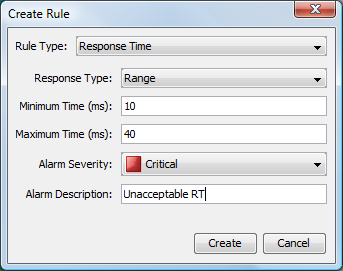
-
Click the button to save the rule.
The rule displays in the tab: