2.4 Renaming an Adapter Definition
All adapter definitions are located under > > . It is possible to rename a definition.
Definitions that are deployed or are currently edited cannot be renamed. Close all editors and undeploy definitions before renaming an adapter definition.
To rename an adapter definition:
-
In the pane, expand the root element > > .
-
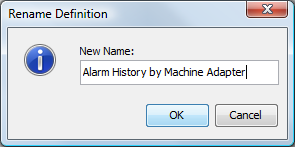
Right-click a definition, then select to open the Rename Definition dialog box:
-
Enter a new name for the definition.
-
Click to apply the new name to the definition.
The definition is renamed (and resorted, if necessary) in the pane hierarchy.