6.4 Adding a Site Map, Breadcrumbs, or Navigation to a Page
Site Map, Breadcrumb, and Navigation portlets are available to add navigational features to any the dashboard page.
To add a site map, breadcrumb, or a navigation to a page:
-
Go to and click .
-
To add a Site Map portlet, do the following:
-
Under , click and drag to a location on the page.
-
Click
 and select
  to configure the following options on the Site Map portlet:
Root layout: The page where the site map begins.
Display depth: The number of child levels displayed on each page.
Click .
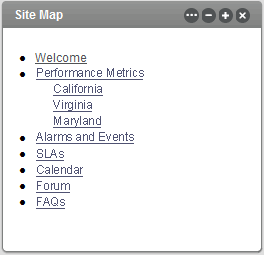
The Site Map portlet adds a hierarchical listing of all pages in a community:
-
-
To add a Breadcrumb portlet, do the following:
-
Under , click and drag to a location on the page.
-
Click
and select to configure the following options on the Site Map portlet:
Display Style: Select for plain type or for bold type.
Click .
The Breadcrumb portlet displays the current page, plus links back to the preceding parent pages:

-
-
To add a Navigation portlet, do the following:
-
Under , click and drag to a location on the page.
-
Click
and select to configure the Site Map portlet:
Bullet style: Varies the lines between the pages in the list.
Display style: Indicates how the page names are presented.
Click .
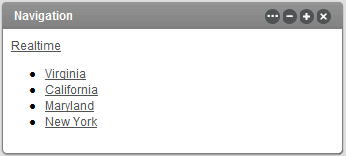
The Navigation portlet displays a listing of links to all pages within the current portlet.
-