7.3 Inviting Members to Join Invite Only Communities
As an owner of an Invitation-Only community, you can send invite notifications to each user you wish to become a member. These notifications automatically show in the user’s Inbox.
To invite user to join your community:
-
From the Communities page, click .
A list of all communities displays.
-
Click next to your community.
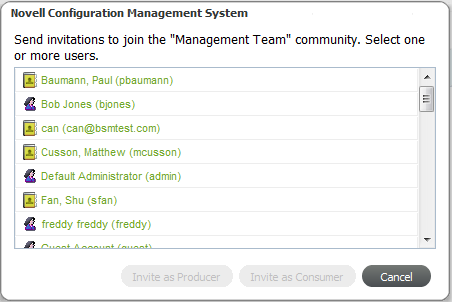
The link, if available, displays in the column for each community to open an invitation dialog box:
-
Select one or more users.
Use Ctrl+click to select more than one noncontiguous user names.
Use Shift+click to select more than one contiguous user names.
-
Click or to send the invite.
The users are invited and see a notification in their Inbox on their next login:
