9.6 Simulating Policies with Java Extensions
Policies that contain references to external Java extensions can now be simulated by adding the appropriate .jar file or directory to the class path.
To add a .jar file or directory to the Java class path:
-
Select from the tool bar.
-
Navigate to the page.
-
Copy the .jar file containing the Java class to the specified directory and simulate the policy.
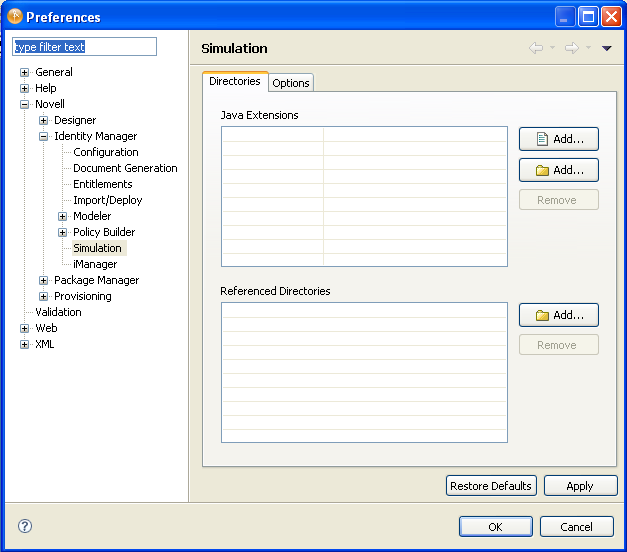
-
Click to save your changes, or click to save your changes and close the window.
Designer allows you to specify more than one directory that contains the external Java classes.
-
Click to select a specific .jar file to add to the class path. Alternatively, click to add all .jar files in the specified directory to the class path.
-
Browse to and select the desired file or directory, then click .
-
To remove a file or directory entry from the Java Extensions list, select the appropriate entry, then click .