3.3 Saving Version Information
You can save version information to a text file on your local or network drive.
-
In iManager, click , then click to find the driver sets in the Identity Vault.
-
Click the specific driver set in the list.
-
Click in the Driver Set Overview page.
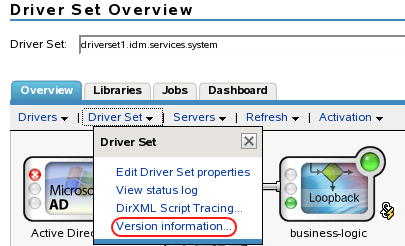
You can also select , browse to and select the driver set, then click .
-
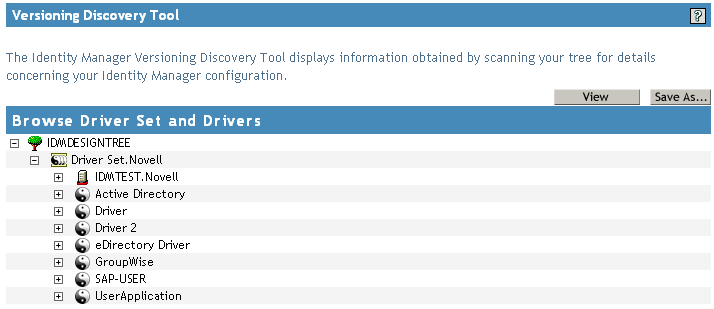
In the Versioning Discovery Tool dialog box, click .
-
In the File Download dialog box, click .
-
Navigate to the desired directory, type a filename, then click .
Identity Manager saves the data to a text file.