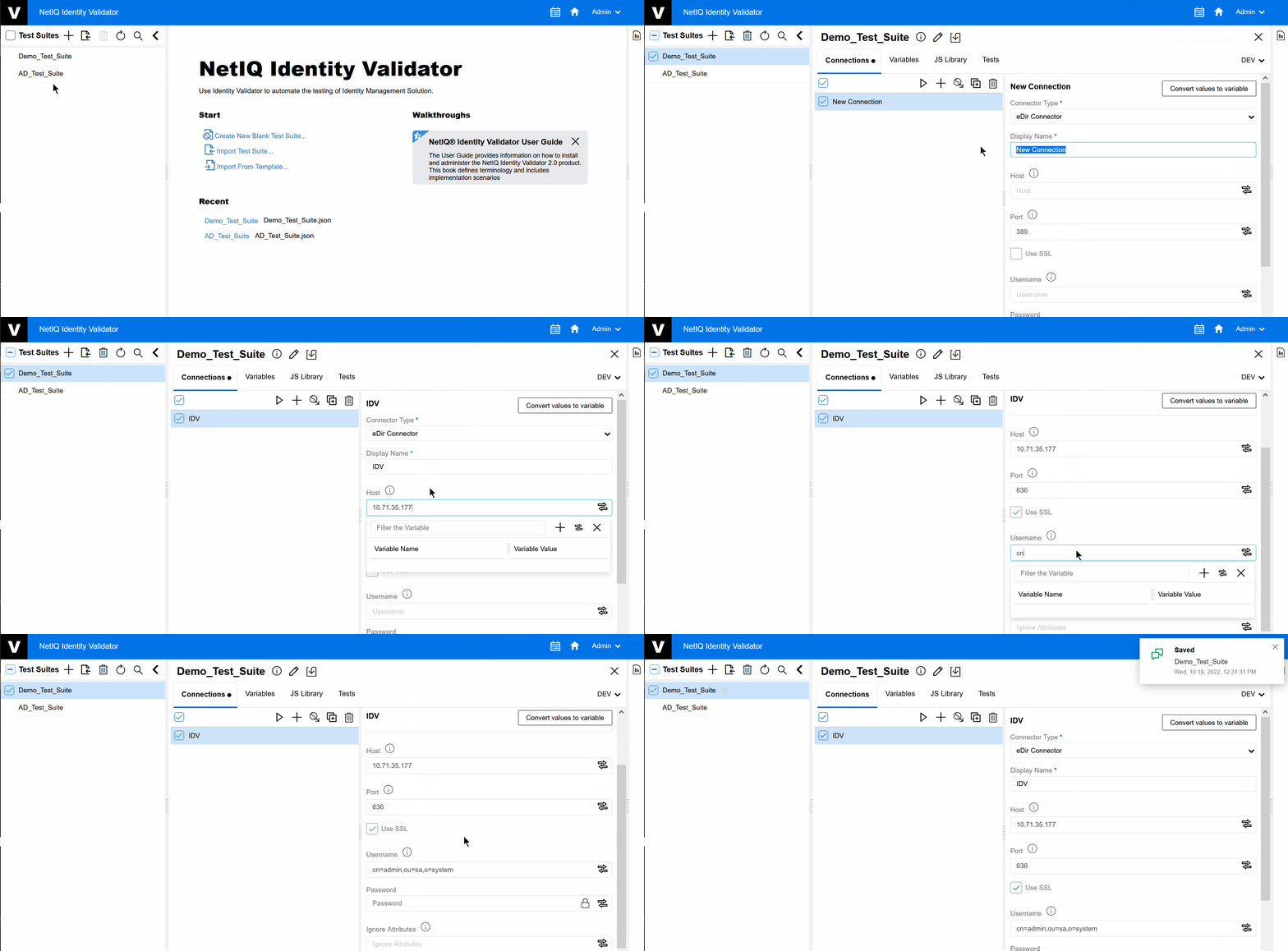
4.3 Create New Connection
On the tab the user can view the list of Connections. The user can also Add new connections manually or by importing the connectors from Identity Manager. Other activities that can be performed here are:
-
View/Modify the Connection information
-
Delete Connections
-
Test Connections.
To create a new connection with the Identity Manager, perform the following steps:
-
Select the Test Suite for which you want to create a new connection.
-
Click .
-
Select the from the drop-down menu as per your requirement. Fill in all the fields that are relevant to that Connector type.
-
Click
 , and then click
  .
.The displays the Test Connection status.
Figure 4-3 Create New Connection