4.4 Adding Environment and Variable
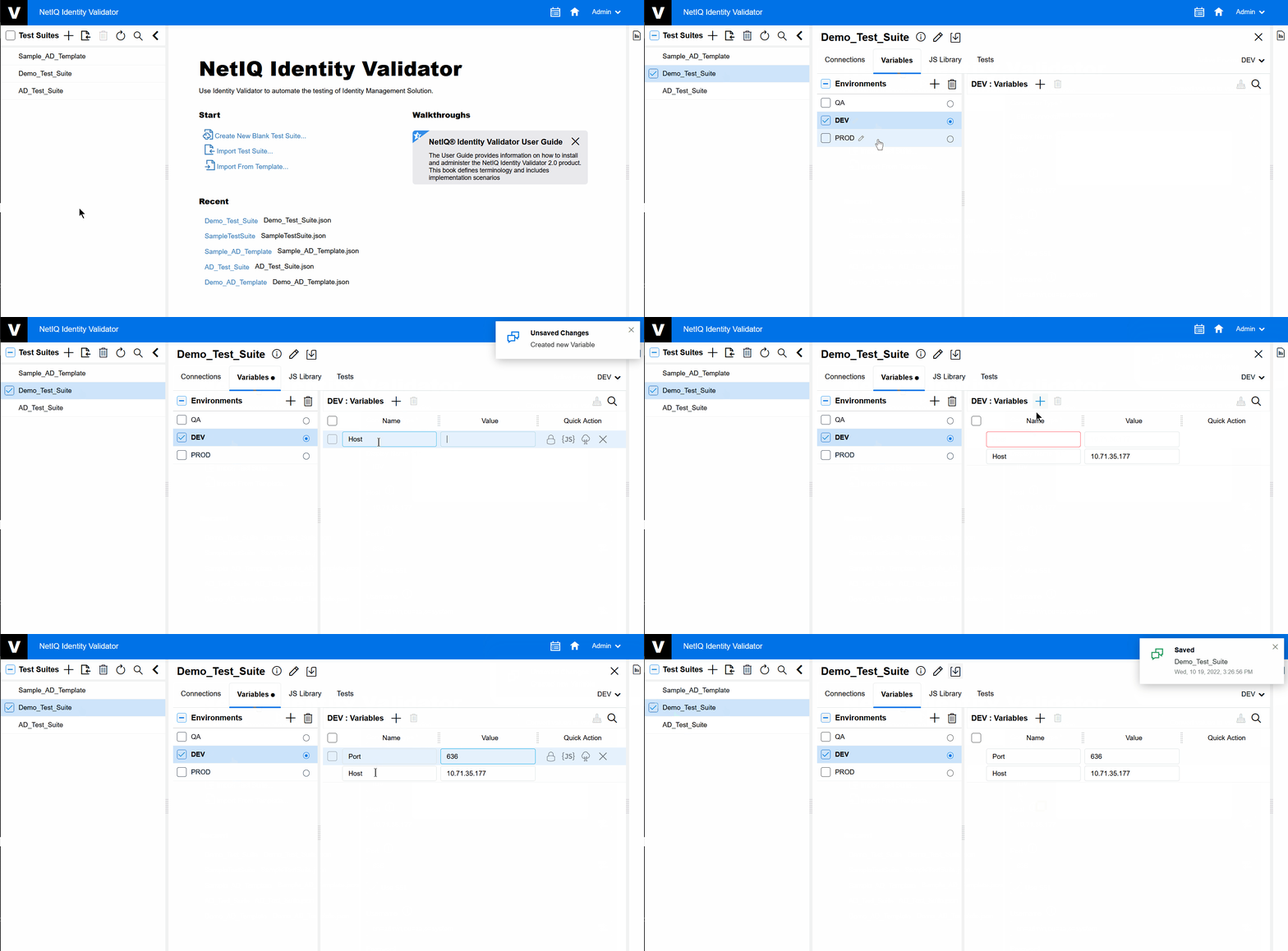
Whenever you want to reuse a particular value or variable, it can be accessed from the tab. On the tab you can add a variable, delete a variable, and cleanup a variable. You can also add new and add Variables.
To add variables, perform the following steps:
-
On the menu, select the Environment for which you want to add a Variables.
-
On the tab click
 to add Variables.
 -
Add a Name and Value for the Variable.
We can also insert a value by using a Java Script, Search Directory and Delete the Variables.
Figure 4-4 Adding a Variable