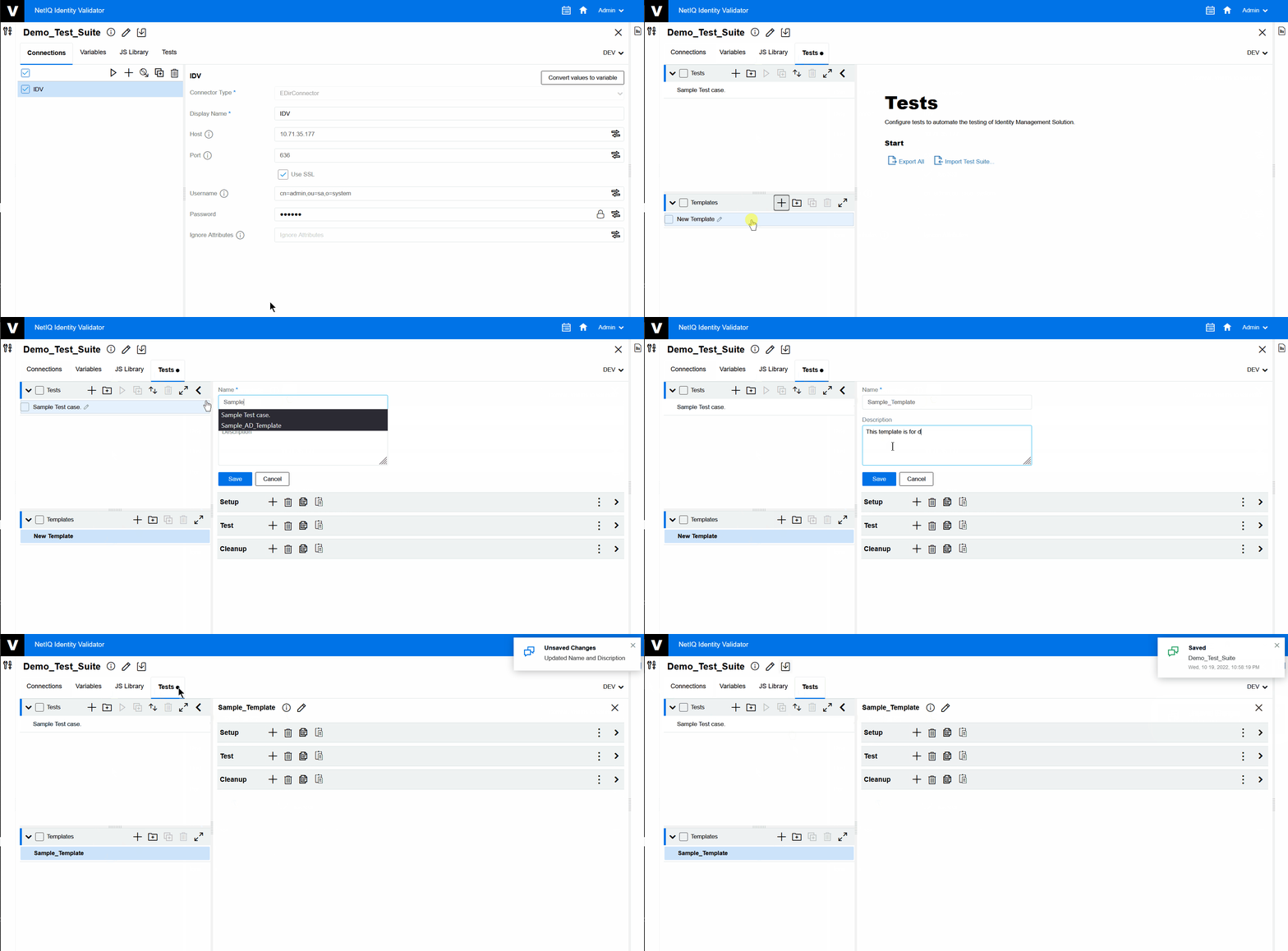
5.2 Creating Template
To create a new Template, perform the following steps:
-
On the Tests tab, click >
 .
.A new Template is created.
-
Select the new
-
Click
 to change the Template’s and as per your requirement.
 -
Click .
-
Click global
 .
.The message appears.
Figure 5-5 Create New Template