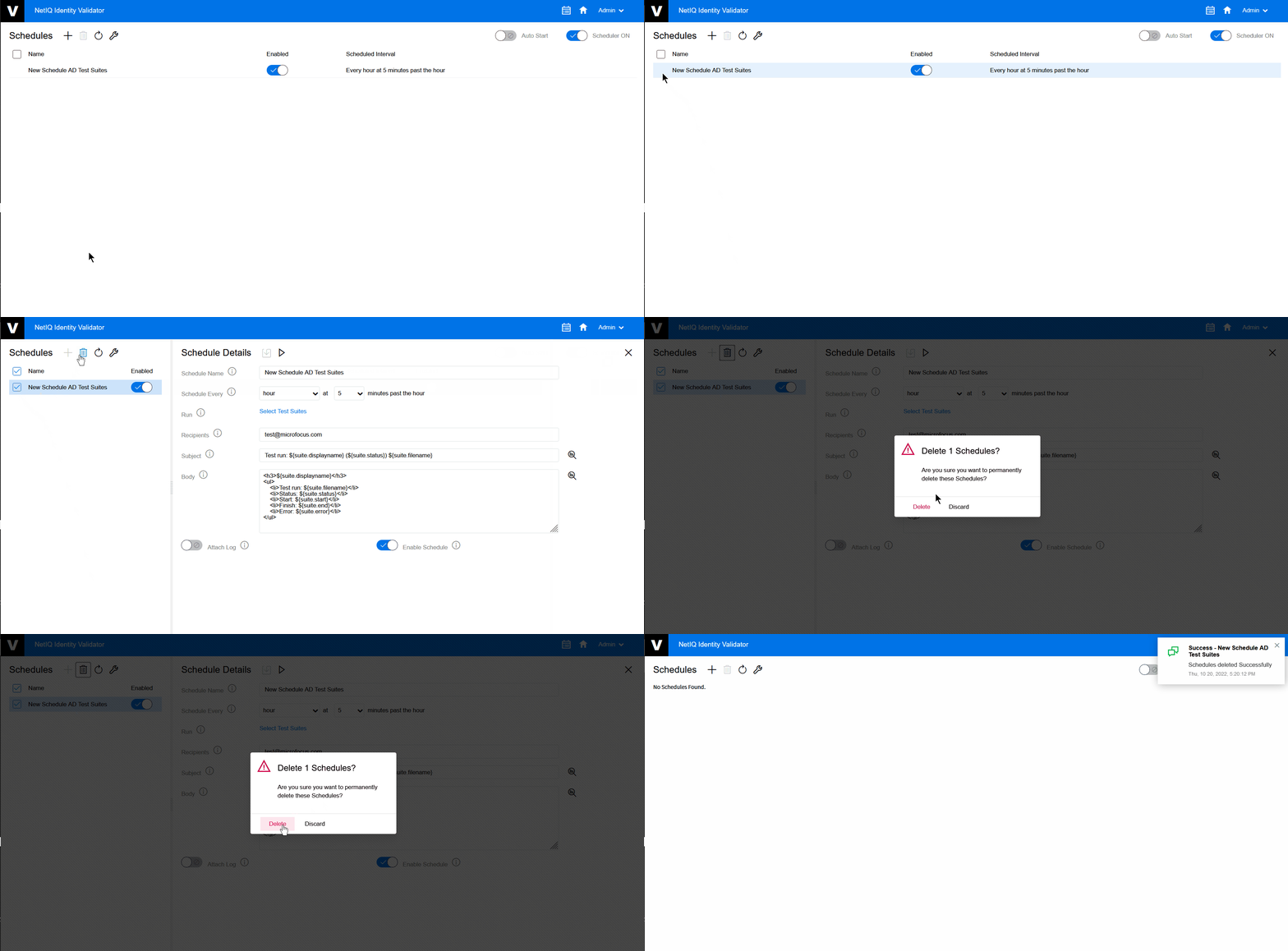
6.5 Delete a Schedule
The following procedure explains how to delete a schedule:
-
On the Home page, click the Scheduler
 .
. -
On the Schedules page, click on the Schedule that you want to delete.
-
Click
 .
. -
A popup appears to confirm, click .
Figure 6-5 Delete a Schedule