4.6 Importing Test Suite from Template
Select a Template from the list of default templates, and create a Test Suite which has connections and variables predefined.
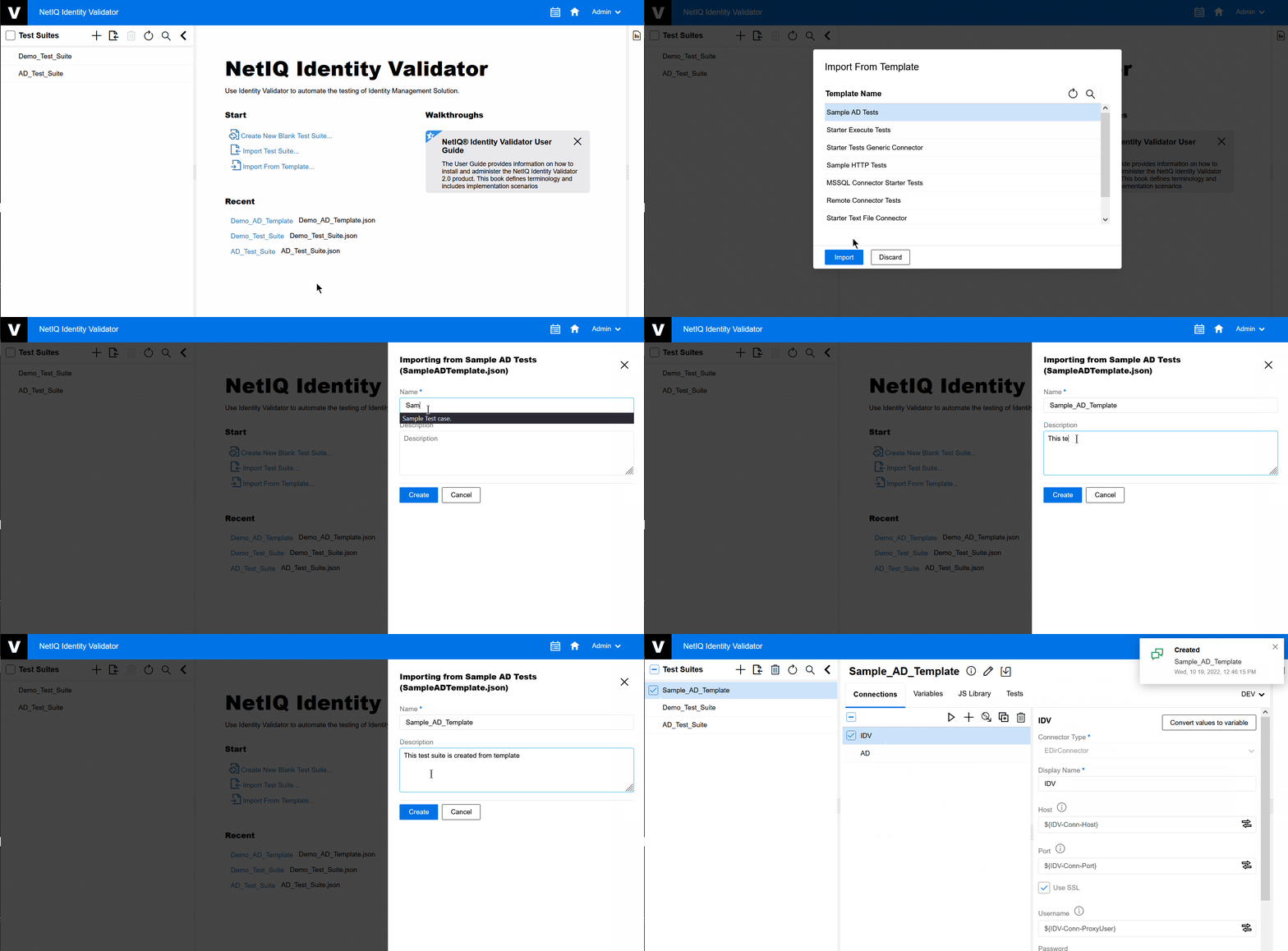
To create a Test Suite by importing a template, perform the following steps:
-
On the Homepage, click .
-
Select a given template and click .
The Create Test Suite screen appears.
-
Give a Test Suite name.
-
Give a brief Description of the Test Suite.
-
Click .
A new Test Suite is created under the Test Suite pane.
Figure 4-6 Import Test Suite from Template