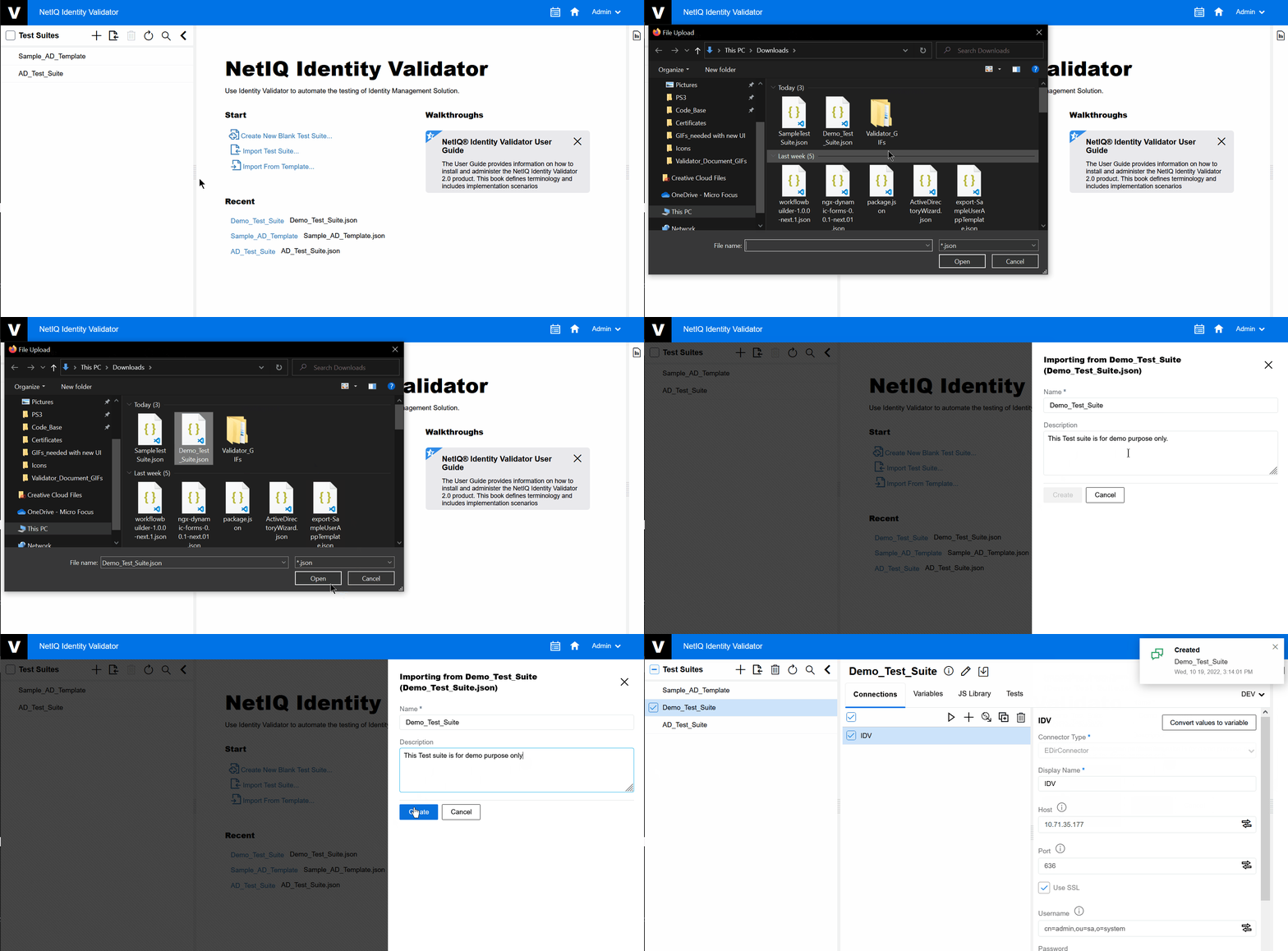
4.1 Importing Test Suite
The following procedure explains how to import a Test Suite:
NOTE:The user can use their own existing Test Suites that they already have and import them.
-
On the Test Suite pane click .
The appears. Navigate to the folder where your files are present.
-
Select the Test Suite that needs to be imported, then click .
Result: The form will appear.
-
Rename the imported Test Suite as per your requirement, click
 .
. -
Click
 .
.Figure 4-1 Import Test Suite