4.2 Creating Test Suite
The driver development or driver deployment personnel can create and test the scenarios. The user can set up connections with multiple-end applications and automates repetitive tasks. The users can automate the testing of Identity Manager environments.
On the NetIQ Identity Validator tab you can perform the following tasks:
-
View the list of Test Suites.
-
Create new Test Suite (Either by selecting existing template or a new Test Suite).
-
Delete Test Suites
-
View/Modify the details of Test suite.
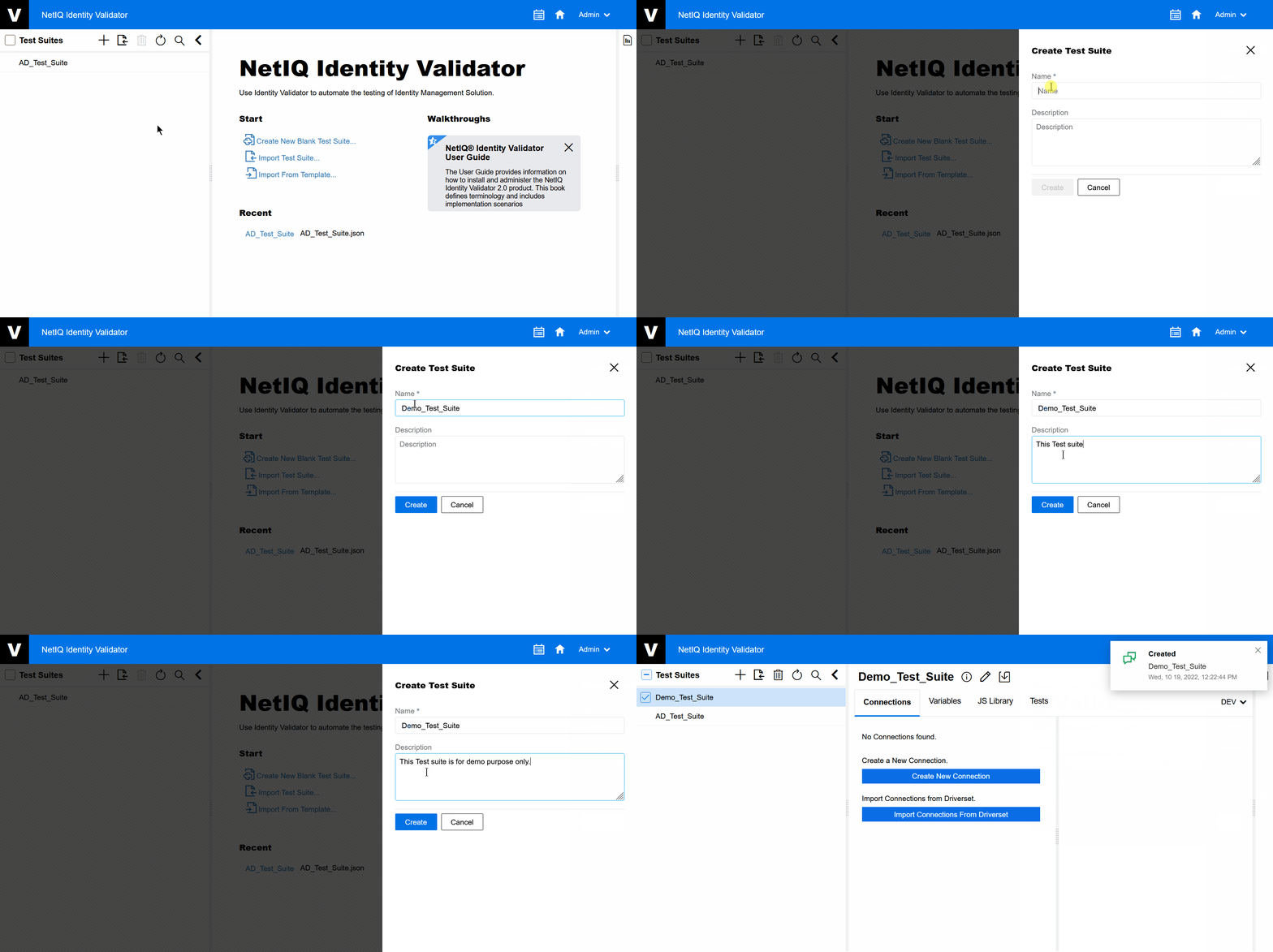
To create a Test Suite:
-
On the Test Suite pane either click
 or click .
The screen appears.
-
Give a Test Suite name.
-
Give a brief Description of the Test Suite.
-
Click
 .
.A new Test Suite is created under the pane.
After creating the new Test Suite, you can create a new connection to perform a Test Case.
Figure 4-2 Create Test Suite